NVR Buying Guide: How to Choose the Right Network Video Recorder for Your Business in 2026
If you're putting together a video surveillance system for the first time — or replacing one that's outgrown its footage storage — the network video recorder (NVR) is the piece that determines almost everything else about how the system performs. Get the channel count, port layout, or storage capacity wrong and you'll either overpay for headroom you don't need or find yourself buying a second box a year later. Here's what actually matters when you're choosing one.
What an NVR does, in plain terms
A network video recorder receives video streams from IP cameras over your network, records them to an internal hard drive, and gives you a way to view live and recorded footage locally or remotely. Most modern NVRs also supply Power over Ethernet (PoE) directly to the cameras through their built-in ports, so a single Ethernet cable from each camera to the NVR carries both power and video — no separate power supplies or PoE switch needed for smaller installs.
The specs worth checking before you buy
Channel count and PoE ports
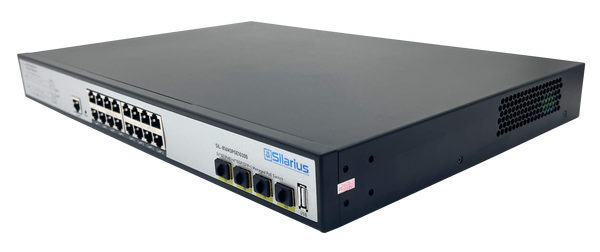
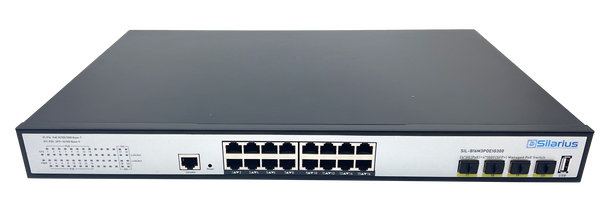
"Channels" is the number of camera streams the NVR can record at once. Buy for where you'll be in a year or two, not just today's camera count — adding channels later usually means buying a whole new recorder. A Silarius SIL-NVR4K16 gives you 16 recording channels with 8 built-in PoE ports, which covers a lot of small-to-mid-size sites without any extra hardware. Need PoE on every one of 16 cameras instead of 8? The SIL-NVR16CHPOE2 line handles that, and if you're wiring more cameras than an NVR has built-in PoE ports for, that's exactly what a dedicated PoE switch is for — we cover sizing one properly in our PoE switch buying guide.
Resolution and bandwidth headroom
Check the NVR's maximum supported resolution per channel, not just its marketing headline. A recorder rated for 4K needs enough throughput and processing power to actually handle multiple 4K streams at once without dropping frames — this is where cheaper, underpowered boxes tend to fall short as camera counts grow.
On-board AI, if you need it
Some businesses genuinely need face recognition or face comparison running locally on the recorder — high-security entry points, for example. The SIL-NVRAI162 is built for that, handling up to 36 channels at 4K with on-device face recognition and comparison. Most retail, office, and warehouse deployments don't need this level of on-box AI — and as we'll get to below, there's a more flexible way to add AI analytics without paying for it on every single recorder.
Storage capacity
Storage is usually the first thing people underbudget. A 2TB drive fills up faster than most people expect once you're running several cameras at higher resolutions or continuous (rather than motion-triggered) recording. NVRs like the SIL-NVR16CHPOE series come in 2TB, 4TB, 6TB, and 8TB configurations specifically so you can match drive size to camera count and how long you actually need footage on hand, rather than guessing.
Plug-and-play kits for smaller sites
Not every job calls for a rack-mounted, professionally cabled system. For a small office, retail counter, or single-entrance site, a kit like the SIL-4CHNVRWIFI8MPKIT bundles a 4-channel NVR with WiFi cameras in one box, cutting install time down considerably.
The hybrid option: keep your NVR, add the cloud
Buying the right NVR solves local recording. It doesn't solve what happens if that box is stolen or damaged along with the rest of the site, or give you an easy way to check five locations from your phone. That's where Silarius Cloud comes in — and it's worth knowing about before you finish specifying your system, not after.
Silarius Cloud connects to the IP cameras you already have — any ONVIF/RTSP camera, whatever brand it is — with no rip-and-replace required. Once connected, you get AWS-backed cloud storage with redundant, scalable infrastructure, encryption end to end in transit and at rest, and your choice of per-camera retention from a few days up to a year. It also layers AI analytics — motion, person and vehicle detection, face recognition, license plate recognition (ALPR), and loitering detection — on top of your existing cameras, regardless of what those cameras natively support. That's a cheaper way to get AI coverage across a whole site than putting an AI-capable NVR on every location.
For anyone managing more than one site, Silarius Cloud's dashboard shows every connected location's cameras in one place, and the infrastructure is NDAA Section 889 compliant if that's a requirement for your business or contracts. It scales from a 4-camera single site up to 4,000+ cameras across a whole portfolio of locations. Plans are month to month with no long-term contract if you want to try it against your own footage.
Putting it together
Start with how many cameras you'll realistically have in two years, not just today. Match channel count and built-in PoE ports to that number, size the hard drive to your resolution and retention needs, and only pay for on-board AI if you have a specific use case that needs it running locally. Then connect the cameras to Silarius Cloud as well, so a site issue with the physical recorder doesn't mean losing everything, and so you can check on things without driving there. If the recorder is already installed, our guide to connecting an NVR or DVR to Silarius Cloud covers it step by step. Rather than estimate it on paper, put the layout into the free Silarius Site Planner: it counts the channels, sizes the drive to the retention you want, and prices the recorder and switch together.