How Much Storage Do I Need for Security Cameras? TB per Camera per Day
"How big a hard drive do I need?" is the question that stalls more camera quotes than any other, and the honest answer is that it comes down to one line of arithmetic. Four cameras recording around the clock for a month is a very different drive from sixteen 4K cameras kept for ninety days — and the gap between them is the difference between a $150 recorder and a rack unit with eight drive bays.
Here is how to work it out in about two minutes, with the numbers Silarius uses, plus the three levers that cut the figure dramatically if the first answer comes back too big.
The one formula
Everything comes from a camera's bitrate — the steady stream of data it sends to the recorder, measured in megabits per second:
GB per day = bitrate (Mbps) × 10.8
That is just 86,400 seconds in a day, divided by 8 to turn bits into bytes. Multiply by the days you want to keep, divide by 1,000 for terabytes, then add about 10% so the drive never runs completely full.
What one camera uses per day
Resolution is what drives the bitrate. These are the figures Silarius sizes systems with, at H.265 compression and full frame rate on a reasonably busy scene:
| Camera | Bitrate (H.265) | Per day, 24/7 | 30 days, 24/7 |
|---|---|---|---|
| 2MP (1080p) | 2 Mbps | 21.6 GB | 0.65 TB |
| 4MP | 2.5 Mbps | 27 GB | 0.81 TB |
| 5MP | 3 Mbps | 32.4 GB | 0.97 TB |
| 8MP (4K) | 6 Mbps | 64.8 GB | 1.94 TB |
Two things move these numbers more than people expect. Compression: H.264 needs roughly twice the space of H.265 for the same picture, so an older camera on H.264 doubles its row. Scene activity: a quiet stockroom wall compresses down to a fraction of the figure above, while a car park with traffic and trees moving in the wind can exceed it. Treat the table as the planning number, not a guarantee.
Four worked examples, 30 days of continuous recording
| System | Per day | 30 days | With 10% headroom |
|---|---|---|---|
| 4 × 5MP | 130 GB | 3.9 TB | 4.3 TB |
| 8 × 4MP | 216 GB | 6.5 TB | 7.1 TB |
| 16 × 4MP | 432 GB | 13.0 TB | 14.3 TB |
| 16 × 4K | 1,037 GB | 31.1 TB | 34.2 TB |
The jump in that last row is the one to notice. Sixteen cameras at 4K generate just over a terabyte a day. That is a real cost, and it is why resolution should be chosen per position rather than set to maximum everywhere.
7, 30 or 90 days?
Retention multiplies straight through. Taking the eight-camera 4MP site above:
| Retention | 8 × 4MP, 24/7 | 8 × 4MP, motion only |
|---|---|---|
| 7 days | 1.7 TB | 0.7 TB |
| 30 days | 7.1 TB | 2.9 TB |
| 90 days | 21.4 TB | 8.6 TB |
Most businesses land on 30 to 90 days, because incidents are often reported weeks after they happen — a disputed delivery, a slip-and-fall claim, an employee matter. Some insurers and commercial leases specify a minimum, so check yours before buying the drive. Our guide to how long you should keep security footage goes through how to pick the number.
Three levers when the answer is too big
1. Record on motion where nothing happens. A back corridor or a storage room is static for most of the day, and motion recording typically cuts those positions to around 40% of continuous — the saving in the table above. Keep entrances, tills and cash-handling areas on 24/7, where you want the moments before and after an event as well.
2. Use H.265 everywhere you can. It halves the storage for the same image. Every Silarius camera and recorder supports it, so this is usually just a settings check on older cameras.
3. Match resolution and frame rate to the job. A camera that only needs to show that someone walked through a doorway does not need 4K at 30fps. Reserve the high-resolution positions for the places where you need to identify a face or read a plate, and drop frame rate to 15fps on general-view cameras — that alone takes a meaningful bite out of the total.
Picking the recorder and drive
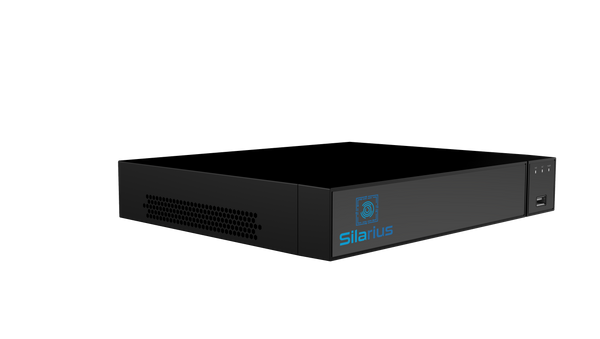
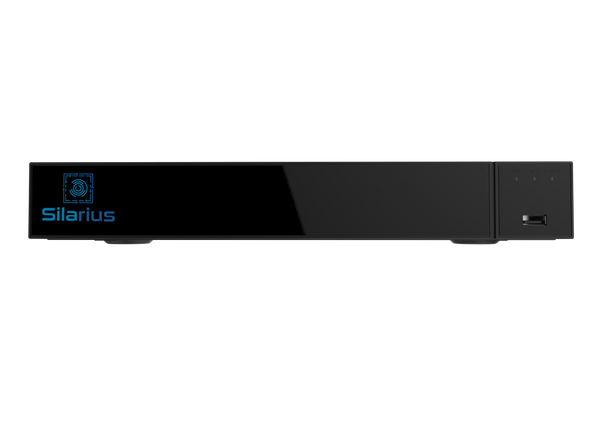
Silarius recorders ship without a drive so you can size the storage to the retention you actually want, rather than paying for capacity you will never fill or discovering the bundled drive holds nine days. A 1-bay recorder takes a single drive up to 24 TB, 2-bay models up to 48 TB, and the 64-channel unit holds eight drives for up to 192 TB.
| Cameras | Recorder | Bays | Price |
|---|---|---|---|
| Up to 4 (PoE built in) | Silarius SIL-NVR4CHPOE | 1 | $349.99 |
| Up to 9 | Silarius SIL-NVR9CH | 1 | $149.99 |
| Up to 16 (8 PoE ports) | Silarius SIL-NVR4K16 | 1 | $229.99 |
| Up to 32 | Silarius SIL-NVRS32C4K | 2 | $499.99 |
| Up to 64 | Silarius SIL-NVRS64C4K | 8 | $999.99 |
Two practical notes. Use a surveillance-rated drive, not a desktop one: a camera recorder writes continuously, all day, every day, and drives built for that workload are rated for it. And if your total lands above what one bay holds, moving up to a 2-bay model is usually cheaper than cutting retention. If you are still choosing the recorder itself, our NVR buying guide covers channels, PoE and throughput.
Rather than do the arithmetic by hand, put your camera counts into the Silarius NVR Storage Calculator — it applies these same figures, adds the headroom and names the recorder and drive size that fit. For a whole system, the free Silarius Site Planner places cameras on satellite imagery of your property or on a floor plan you upload, then sizes the recorder, its drive, the PoE switch and the cable to match the retention you ask for, priced live.
Where cloud retention changes the maths
Keeping 90 days of 4K on site is where local storage stops being the cheap option: that sixteen-camera 4K system needs about 103 TB for 90 days, which is a multi-drive chassis and a drive replacement plan. Cloud retention sidesteps the capacity question, and it also survives the thing a drive cannot — if the recorder is stolen or destroyed, footage held only on its drive goes with it.
Silarius Cloud sets retention per camera, from a few days up to a year on standard plans, with custom plans keeping video up to three years. Plans start at $6.99 per camera, per month, across three recording tiers: Mobile (720p, up to 400 kbit/s), Pro (1080p, up to 750 kbit/s) and 4MP (up to 1,600 kbit/s). Those bitrates are worth reading as an upload requirement as well as a quality setting — eight cameras on the Pro tier means roughly 6 Mbps of steady upload, so check what your connection has spare before committing.
It is ONVIF-based, so it works with cameras already installed. Existing cameras and recorders join through the Silarius Gateway at $299.99, a one-time purchase that covers up to 50 cameras; each camera on a recorder is added individually, and ONVIF or RTSP has to be switched on at the recorder first. Expect plain video rather than smart detection behind a recorder, because many recorders do not pass the camera's event data through. Newer Silarius X cameras reach the cloud on their own with no Gateway. In every case the cameras and Gateway connect outbound, so no router ports are opened. Our post on connecting an existing NVR or DVR to Silarius Cloud walks through the steps.
Plenty of sites end up running both: a local drive sized for 7 to 14 days so everyday review is instant, and cloud retention for the longer window that matters when a claim arrives three weeks late.
Common questions
How many TB does one camera use per day?
At H.265 and continuous recording, roughly 22 GB a day for 1080p, 27 GB for 4MP, 32 GB for 5MP and 65 GB for 4K — so about 0.02 TB to 0.065 TB per camera per day. Multiply by your camera count and days, and add 10%.
Is 2TB enough for 8 cameras?
For 30 days of continuous recording, no — eight 4MP cameras need about 7 TB. A 2 TB drive gives that system roughly 9 days, or about 23 days if those cameras record on motion only.
How long will a 4TB drive record?
Divide 4 TB by the daily total. Four 5MP cameras at 130 GB a day gives about 31 days; eight 4MP cameras at 216 GB a day gives about 18 days; sixteen 4K cameras at just over 1 TB a day gives under 4 days.
Does the recorder delete old video automatically?
Yes. A camera recorder records in a loop, overwriting the oldest footage once the drive is full. That is why drive size and retention are the same decision — the drive size is your retention period.
Can I add a second drive later?
If the recorder has a spare bay, yes. If it does not, the options are longer motion-only recording, lower resolution on some positions, or cloud retention for the extra days.